 Install on Shopify
Table of Contents
Why Most Shopify Halloween Promos Get Ignored (And What Actually Works)
A last-minute costume shopper lands on your store the week of Halloween. They see a generic 15% off banner. They've already seen a dozen identical ones today across every store they've visited. They scroll for ten seconds, nothing grabs them, and they bounce. You paid for that click through your ad spend, your SEO, your email list. This guide is about making sure it doesn't happen this Halloween.
And it's not just that one visitor. It's the pattern.
The banner gets ignored because shoppers are trained to ignore banners. The popup gets dismissed before it's even read. The discount code gets copy-pasted into a deal forum and used by people who were never going to pay full price anyway. You run the Halloween promo, you move some inventory, and two weeks later you're not sure it was worth the margin you gave away.
The stores that actually win Halloween aren't offering bigger discounts. They're offering something different: a reason to actually engage. A moment that feels playful. A reward that feels earned, not handed out.
That's what this guide is about.
TL;DR: What you'll have by the end of this guide:
- ✓A setup plan that takes under 5 minutes, no coding needed
- ✓A decision table so you know which method fits your store
- ✓The 5 mistakes that silently kill most Halloween campaigns
Gamification fundamentally alters shopper behavior. By forcing users to "hunt" for their discount:
- ✓
Even Shopify recommends gamification. Shopify's own research identifies gamification as a key strategy for increasing engagement, driving sales, and collecting valuable first-party data. This isn't a niche tactic. It's a proven growth lever endorsed by the platform itself.
- ✓
Halloween is a $12+ billion holiday. According to the National Retail Federation, 2024 Halloween spending hit $11.6 billion, with shoppers spending on costumes, candy, decor, and party supplies. A well-timed pumpkin hunt channels that Halloween buying energy through your store before your competitors even wake up.
- ✓
Halloween shoppers love a playful experience. Unlike serious gift holidays, Halloween is about fun. A treasure hunt feels perfectly native to the season. It rewards exploration the same way trick-or-treating does, and shoppers happily engage with it.
4 Methods: How to Add a Halloween Treasure Hunt to Shopify
Depending on your budget, technical skills, and time constraints, there are four primary ways to implement a gamified Halloween promotion on your store.
Method 1: The App Way
Using a dedicated Shopify gamification app like Treasure Quest.
- ✓ Time: ~5 Minutes
- ✓ Code required: None
- ✓ Lead Capture: Automated
- ✓ Dynamic Codes: Yes (One-time use)
- ✓ Multi-Page Hunts: Supported fully
Best for merchants who want zero bugs, high conversions, and immediate deployment.
Method 2: DIY Custom Code
Hiring a Shopify developer to write custom Liquid, HTML, and JS, along with a custom backend.
- ⌛ Time: 6+ Months (Minimum)
- ⚠️ Cost: $10,000 - $30,000+ (Devs & Servers)
- ❌ Maintenance: Dev team required for all changes
- ❌ Analytics: Demands heavy custom implementation
Best for massive enterprise brands with custom in-house dev teams and a limitless budget.
Method 3: The Manual Way
Hiding a flat image or text code at the bottom of a blog post or page.
- ⌛ Time: 5 Hours (Sourcing & Editing)
- ✓ Cost: Free
- ❌ Lead Capture: Impossible to gate the discount
- ❌ Analytics: Zero tracking on who finds it
Best if you just want to put a promo code on a page and don't care about capturing emails or making it fun.
Method 4: Do It With AI
Using Cursor, Copilot, or Claude to generate custom code.
- ⌛ Time: 6+ Months (Minimum)
- ❌ Lead Capture: Must host your own external servers
- ⚠️ Cost: Very High (Hidden server & API costs)
- ❌ Analytics: Extremely complex to wire up and track
- ❌ Maintenance: You own the entire custom codebase
Only attempt if you are a seasoned software engineer with half a year to kill on a promotion.
How to Set Up Your Shopify Halloween Treasure Hunt
Using Treasure Quest, you can launch a dynamic hunt without writing a single line of code.
Install the Gamification App
Install Treasure Quest from the Shopify App Store and launch your gamified Halloween campaign in under 5 minutes. Design a hunt that flawlessly matches your store's unique brand. Zero coding required. Built exclusively for Shopify using the latest Theme App Extensions, it guarantees a seamless integration with no manual scripts and zero residual code or mess left behind if you ever uninstall.
Design Your Halloween Pumpkins
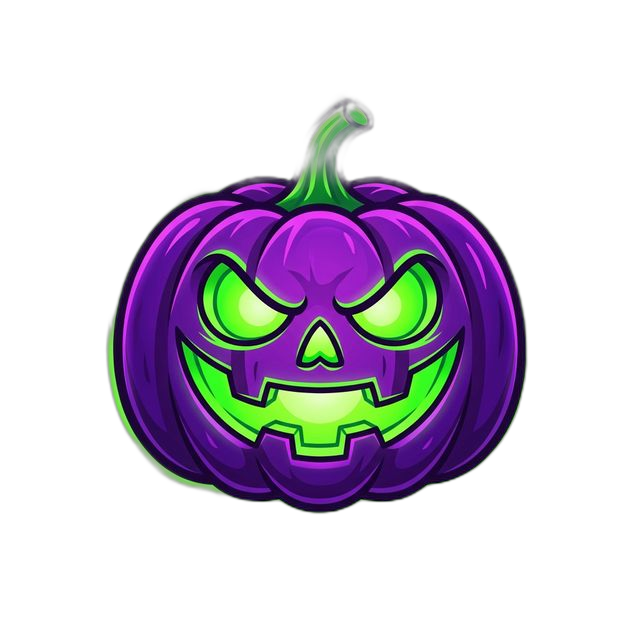
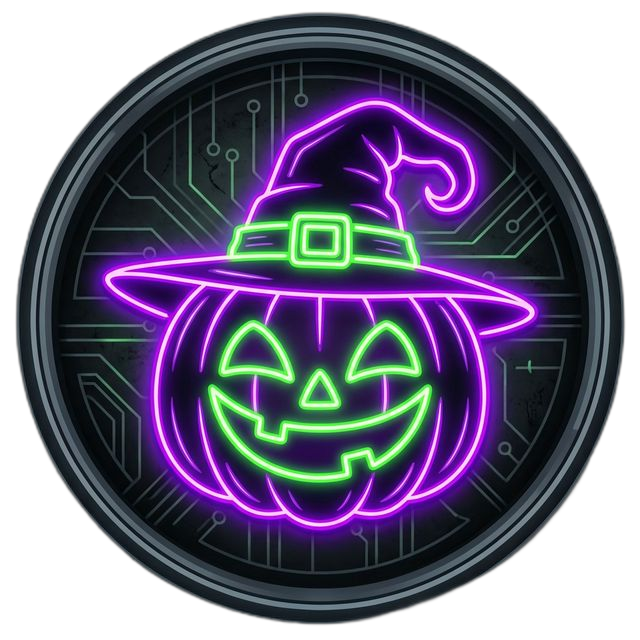
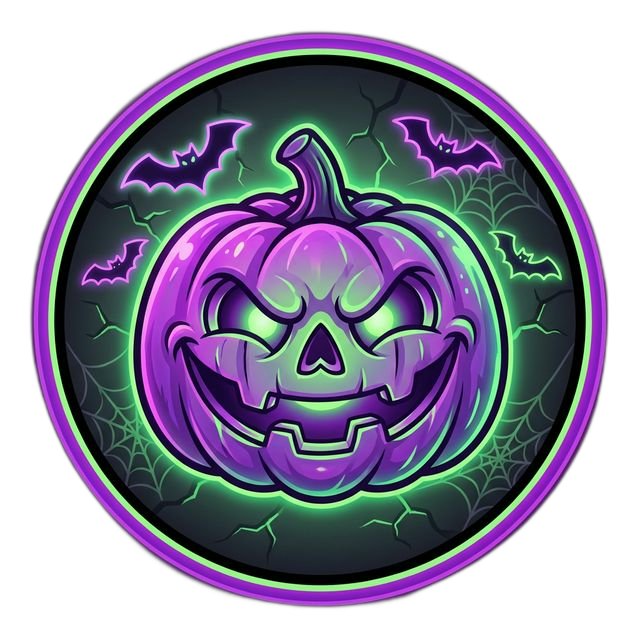
You have two top options. You can choose from our curated library of Halloween pumpkins and transparent 3D assets, or create brand-new icons (ghosts, witches, candy corn, jack-o-lanterns) using our AI tool to perfectly match your store's unique Halloween aesthetic!
Your Halloween Assets: Done For You or Built by AI
We know store owners don't have hours to source graphics. Choose from our massive pre-built library of premium gamification assets, or generate exactly what matches your brand using our integrated AI Studio.

AI Creator Studio
Generate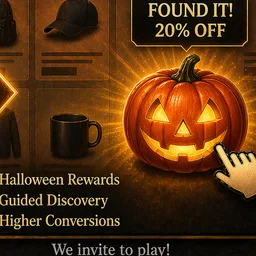
Set The Rules
Take complete control over the hunt. Curate the perfect journey by choosing exactly where your Halloween pumpkins appear. You have the ultimate flexibility to include them only on specific product pages or effortlessly exclude them from any page you want. Dial in precision triggers like Exit Intent, Time on Site, or Pages Visited to ensure shoppers find them at the exact right moment.
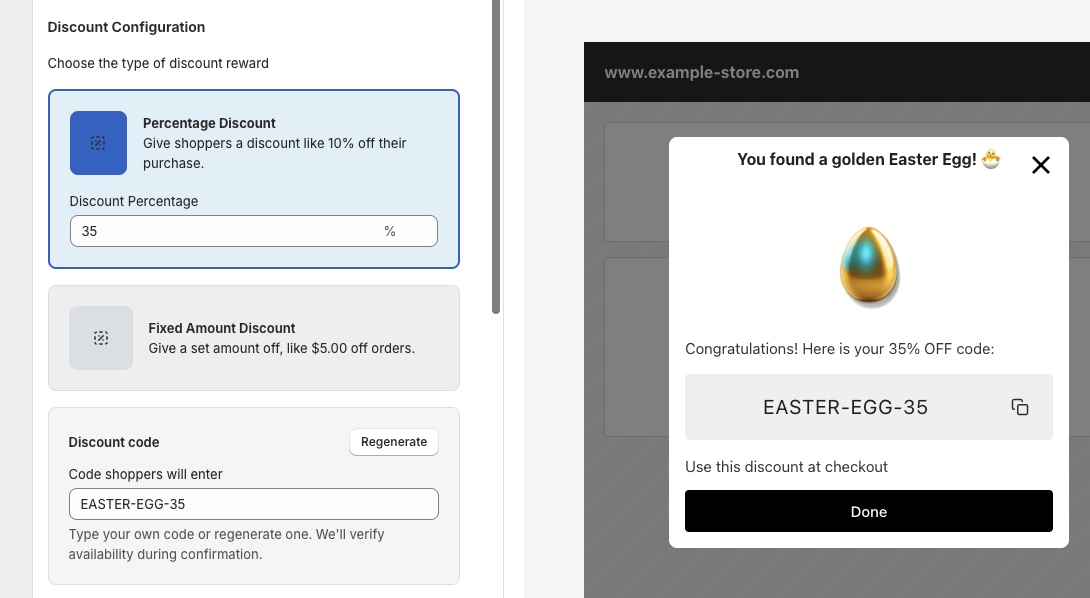
Configure the Reward Capture
This is the moment your Halloween pumpkin hunt turns into revenue. Finding the pumpkin is fun, but a phenomenal reward is what actually drives the conversion.The gamification element almost guarantees they will give you their email. So at a minimum, you're building your list for future marketing. But to close them instantly, you need to offer something they can't get anywhere else on your site. By giving them an exclusive, earned reward, you dramatically increase the likelihood of an immediate checkout.
5 Halloween Hunt Mistakes That Kill Shopify Campaigns
Don't let simple errors ruin your holiday sales. Avoid these common pitfalls to ensure your gamification campaign drives massive revenue, not frustration.
Making it Impossible to Find
Hiding your pumpkins on an obscure Terms of Service page or deep in your blog archives kills the campaign before it starts. Halloween shoppers aren't going to spend 20 minutes scrubbing your site for a discount. If the hunt requires actual detective work, they will simply bounce to a competitor.
The Fix: High-Intent Placement
Place pumpkins on your highest-traffic pages: the homepage, Halloween collections, and best-selling products. Treasure Quest lets you precisely target or exclude specific URLs so your icons always appear right where the buyers are.
Ignoring Mobile Usability
Over 70% of Shopify traffic is mobile. If your pumpkin icon is a tiny, static image embedded in a banner that can't be easily tapped by a thumb on an iPhone, you will only frustrate your customers. Frustrated customers don't checkout; they leave.
The Fix: Touch-Native Design
Ensure your gamification is built for thumbs. Treasure Quest automatically scales and positions interactive, floating icons so they are perfectly tappable on any screen size, preventing rage-clicks and abandoned sessions.
Using Generic, Weak Rewards
If a user takes the time to follow your clues and hunt down a pumpkin, do not offer them the same generic discount code they could have found by googling your brand. Halloween is playful. The reward should feel like a genuine treat, not a standard coupon.
The Fix: Offer Irresistible, Exclusive Value
Offer a reward that feels distinctly earned, like a "Trick-or-Treat 25% Off" exclusive discount, a free spooky gift with purchase, or free Halloween shipping. When the offer feels exclusive to the hunt, the likelihood of an instant conversion skyrockets.
Launching on October 31 Only
Launching your Halloween hunt on October 31st at noon means you've already missed the majority of costume, candy, and decor shoppers. Most Halloween shopping happens in the two weeks leading up to the holiday. A same-day launch only captures last-minute buyers and misses the entire anticipation window.
The Fix: Start 2 Weeks Early
Run your campaign for 10 to 14 days leading up to Halloween. This gives you time to tease it on social media, build email momentum, and convert early browsers. Treasure Quest lets you schedule start and end dates so the campaign runs on autopilot.
The "Silent Launch" (Zero Promotion)
"If you build it, they will come" does not apply to eCommerce. Simply dropping a pumpkin icon on your site and waiting for people to stumble across it guarantees low engagement. Your customers need to know they're supposed to be looking for something!
The Fix: Hype It Up
Launch with a bang. Tease the hunt on Instagram 2 days prior ("Something spooky is hiding on our site this weekend..."), send an email to your list the morning it goes live, and add a striking announcement bar to your store. Tell them exactly what to look for, and let the hunt do the rest.
Treasure Quest vs. The Alternatives
Discount apps don't create experiences. Popup apps limit interaction to a single page. Gamification apps are one-and-done. See exactly how Treasure Quest compares across every feature that matters.
| Feature | ✨ Treasure Quest ⓘThe all-in-one Shopify app that turns your store into an interactive treasure hunt with AI icons, native discounts, and full-funnel analytics. | Basic Hunt Apps ⓘShopify apps that hide icons or eggs on your storefront for customers to find and collect. | Gamification Apps ⓘInteractive popup apps like spin-the-wheel, scratch cards, and slot machines for email capture. | Discount Apps ⓘTools for creating, managing, and automating discount codes, pricing rules, and BOGO offers. | Popup Apps ⓘGeneral-purpose popup, banner, and form builders for email capture and promotions. |
|---|---|---|---|---|---|
| ⏱️ Launch Time | Under 5 minutesGuided wizard with smart defaults. Pick icons, set reward, go live. No dev work. | 15–30 min per campaign. Manual icon, page, and code setup. | 10–15 min. Customize wheel segments, colors, and win probabilities. | Fast for basic codes, but stacking, tiers, and BOGO need extensive config. | Quick for banners, but targeting rules and A/B tests add setup time. |
| 🎨 Icon Library | 100+ hand-crafted icons per seasonHalloween, Easter, Halloween, Christmas, Valentine's. All ready instantly. | Under 15 stock icons total across all seasons. | N/A. Wheel segments only. | N/A | N/A. Generic stock images. |
| 🤖 AI Icon Generator | Built-in AI generationText-to-icon in seconds. 19 art styles, 18 color palettes. 100 free generations/month. | No AI generation. | No | No | No |
| 🎁 Seasonal Campaigns | Ready-to-launch themes & logicEaster, Halloween, Christmas, Valentine's. Just pick and launch. No rebuilds needed. | Handful of seasonal icon sets. Manual swaps required each holiday. | Manual holiday wheel skin swaps each season. | Can schedule sales, but no seasonal creative or theming built in. | Static templates rebuilt manually for each holiday. |
| 🗺️ Multi-Page Discovery | Site-wide or targeted huntsShoppers explore your whole store finding hidden icons. Drives page views, longer sessions, and deeper product discovery. | Basic single-page triggers based on page visits or time on site. | Single-page widget. One spin and done. | N/A. Discount rules, not shopper experiences. | Single-page popup trigger only. |
| 🎯 Display & Targeting | Precision control7 icon animations, scroll-anchored or fixed positioning, smart triggers (time delay, page-visit count, exit-intent). Include/exclude pages by URL. | Limited icon placement. Basic page selection. | Exit-intent, scroll %, or timer triggers. Page-level targeting varies. | Product- and cart-level rules. Not visual display targeting. | Advanced: exit-intent, scroll %, device type, geo-location, cart value. |
| 💰 Discount Integration | Create & edit discounts inside the appUses Shopify's own discount creator. Full control over rules, limits, and eligibility without leaving setup. | Basic in-app discount creation. Limited rules and eligibility options. | Auto-generated coupon codes injected into wheel prizes. | Core strength. Auto-apply, stackable codes, bulk generation, BOGO, volume tiers. | Auto-generated unique codes on some apps, static codes on others. Limited discount rules. |
| 📧 Email & Lead Capture | Built-in reward popups with email captureCustom form fields, marketing consent, privacy links, branded confirmation emails. | Basic email field at claim time. | Primary strength. Strong email/SMS capture with Klaviyo, Mailchimp integrations. | Not a lead capture tool. Focused on pricing. | Primary strength. Powerful email/SMS with deep ESP integrations. |
| 📊 Analytics & Drop-Off | Full-funnel trackingImpressions, clicks, popups, form fills, discount copies, checkouts, and revenue. Per-quest drop-off breakdowns. | Basic view and click counts. | Popup impressions, email signups, conversion rates. Some offer A/B testing. | Redemption counts and revenue per code. | Open, click, and conversion rates. A/B test results. |
The Bottom Line
Treasure Quest brings it all together: discovery-driven engagement across your entire store, AI-powered custom icons, native Shopify discount integration, and full-funnel analytics that show you exactly where to improve. And you can launch it all in under 5 minutes.
Shopify Halloween Treasure Hunt: Merchant FAQ
Answers to every question merchants ask before launching their first gamified Halloween campaign.
Launch & Compatibility
Can I launch a Halloween pumpkin hunt in under 5 minutes without a developer?
Yes. Choose from our preset Halloween icon templates. Pumpkins, jack-o-lanterns, ghosts, candy. Upload your own custom icons, or use our built-in AI tool to generate brand-new Halloween assets on the spot. Set your reward, enable the quest, and you're live. Treasure Quest installs through Shopify's native Theme App Extension with a single click. There's nothing to configure inside your theme files. No developer, no code.
Is Treasure Quest compatible with Shopify 2.0 and mobile-first themes?
Yes, 100%. The app is built on Shopify's Online Store 2.0 architecture with deep Web Pixel integration. It respects your theme's responsive breakpoints and scales cleanly across all mobile devices out of the box.
If I'm using a premium custom theme, will the pumpkin icons break my existing mobile layout?
No. The icons float on top of your pages without touching any of your existing layout. They operate independently from your theme, so they will never push elements around, break your grid, or misalign your header.
Can I run the hunt only during Halloween week?
Yes. You can schedule exactly when your quest goes live and when it ends. Run a 48-hour Halloween weekend blitz or a two-week lead-up campaign. The timing is yours to control. When the date passes, the hunt deactivates automatically.
Growth & Conversion
How is Treasure Quest different from spin-to-win wheels or other gamified discount apps?
When evaluating gamified apps, there are three things worth paying close attention to. First, creative flexibility. Most apps give you a fixed set of templates. Treasure Quest includes a built-in AI Design Studio that lets you generate unlimited on-brand icons from scratch, so you are never locked into someone else's aesthetic. Second, campaign-level analytics. Rather than surface-level metrics like total clicks, our dashboard breaks down Click-Through Rate and Conversion Rate at every step of the funnel: the icon, the trigger, the offer, and the checkout. You will know exactly which lever to pull to improve results. Third, visual quality. Our icon library includes a growing collection of premium animations that make the experience feel polished and intentional, not like a generic pop-up bolted onto your store.
Why is a pumpkin hunt better than a standard Halloween discount pop-up?
A pop-up trains your customers to expect free discounts the moment they land on your site. A treasure hunt flips that dynamic. Instead of giving away margin upfront, you make the customer earn the reward by exploring your store. They browse more products, spend more time on-site, and by the time they find the prize, they feel like they won something, not like they were handed a coupon. During Halloween, shoppers are in a playful mood. A treasure hunt channels that energy into deeper product discovery.
Is Halloween actually a high-converting sales period for eCommerce?
Halloween is one of the biggest consumer spending holidays outside of Christmas. In 2024, Americans spent $11.6 billion on Halloween, with a meaningful share going to online purchases. Categories like costumes, home decor, candy, and party supplies dominate. Shoppers are actively looking for seasonal items. A well-timed pumpkin hunt captures that buying intent and channels it directly through your store while your competitors settle for static banners.
How do I prove to my team that a Halloween hunt is generating revenue and not just giving away margin?
Your dashboard tracks exact, down-to-the-penny ROI. By tying every completed checkout directly to the discount code assigned to your quest, the system measures your absolute Revenue Generated ($) and net new Orders in real-time. You'll have hard data to show exactly how much money the campaign generated.
Will this gamification cannibalize existing sales from people who were already going to buy?
No, and here is why it's actually the exact opposite risk. You have total control over where the hunt happens. You can block pumpkins from appearing on high-intent pages like your cart or checkout. This guarantees you are only incentivizing browsers who are exploring your collections, not handing free discounts to people already holding their credit cards.
What rewards work best for a Halloween pumpkin hunt specifically?
Halloween shoppers are in a playful, treat-driven mindset. Pair your hunt with themed collections, new costumes, or free Halloween-themed gifts. A "Trick-or-Treat 25% Off" code tied to your Halloween collection outperforms a generic sitewide discount every time because it feels curated, not lazy.
Can I reuse the same hunt for Black Friday, Christmas, or other holidays?
Yes. Treasure Quest is a fully evergreen gamification engine. Our dashboard lets you upload custom assets and icons, so you can transition from Halloween pumpkins to Black Friday lockboxes to Christmas gifts in seconds.
Is there a free plan so I can test this before committing?
Yes. You can install and launch your first quest on our free plan to see the results for yourself. Once your dashboard shows the revenue the campaign is generating, upgrading becomes obvious when you see the numbers.
Strategy & Setup
How does the pumpkin hunt work for the shopper?
You place one pumpkin per campaign. In standard mode, the shopper finds it and claims their reward. In Progressive Mode, the shopper has to find pumpkins across multiple pages before unlocking the final prize. This keeps them browsing longer and increases the number of products they see before they ever reach the discount.
Does it work for stores with small catalogs?
Yes. You don't need hundreds of products or dozens of pages. A focused, tight experience with a single well-placed pumpkin can be more effective than a sprawling hunt. Your customer finds the reward faster, which means they convert faster.
How should I announce my Halloween pumpkin hunt to customers?
The highest-performing launches follow a simple sequence: tease the hunt on social media 2 to 3 days before Halloween ("Something spooky is hiding on our site this weekend..."), send an email blast the morning of launch, and add a subtle announcement bar to your store. Give customers a reason to visit, and the hunt gives them a reason to stay.
When should I launch my Halloween hunt? Is it too late to start now?
Setup takes under 5 minutes, so it's never too late to launch. That said, the highest-performing campaigns go live 1 to 2 weeks before Halloween to build anticipation. Even if you're reading this the day before Halloween, you can have a live hunt running that same day.
User Experience & Conflicts
I already have a welcome pop-up and a loyalty widget. Will a pumpkin hunt overlap and make my site look spammy?
Treasure Quest is built to complement your marketing stack, not step on it. You can tell the app exactly which pages pumpkins should never appear on. Want to keep your homepage free for your existing pop-up? Done. You dictate the customer journey.
My audience is older or less tech-savvy. Is finding these pumpkins going to confuse them?
The experience is intuitive. The icons are highly visual, tapping them works across all devices, and the reward flow is linear and simple. You can also exclude the checkout flow entirely, so there is zero risk of a customer getting confused while trying to pay.
What if my customers aren't engaging with the hunt?
Try switching up the icon to something more eye-catching, increasing the reward value, or moving the trigger to a higher-traffic page closer to the front of your site. If the pumpkin is buried deep in a collection page customers rarely visit, they'll never see it.
What happens after Halloween? Should I turn it off?
If the campaign performed well, keep it running. Swap the pumpkins for Thanksgiving turkeys, Black Friday lockboxes, or Christmas gifts. Update the reward, and you have a brand-new campaign live in seconds. The merchants who see the best long-term results treat Treasure Quest as a permanent conversion tool, not a one-time seasonal promotion.
Trust & Reliability
Is Treasure Quest safe for my store's code and loading speed?
Yes. Treasure Quest loads in the background without blocking your store from rendering. Your product images and add-to-cart buttons load instantly while the game renders separately. And because we use Shopify's native app-embed blocks, there is zero code residue. If you ever uninstall, Shopify removes the block instantly, leaving your theme untouched.
If the hunt breaks during a massive traffic spike on Halloween weekend, how fast will someone help me?
We run active monitoring during peak campaign windows and prioritize holiday campaigns because we know what's at stake. Most questions are answered within 12 hours, with prioritized same-day routing for high-volume merchants during holiday weekends.
What permissions does Treasure Quest require, and are you reading my historical customer data?
Most apps ask for far more access than they need. Here is exactly what we ask for and why: permissions to create new discounts (to power the rewards), capture new emails (from players who opt in), and verify new orders (to prove your ROI). That is the full list. Nothing hidden, nothing extra.